Skip to main content
How do I integrate HerbMail into Springbig?
Seamlessly integrate HerbMail data into Springbig
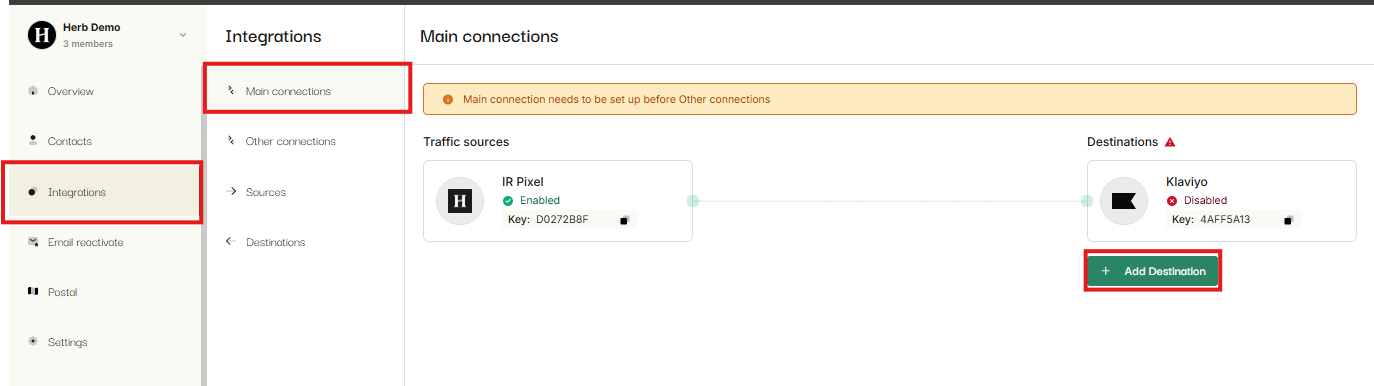
- Go to the integrations tab on the HerbMail Dashboard
- Click Main Connections
- Click Add Destination
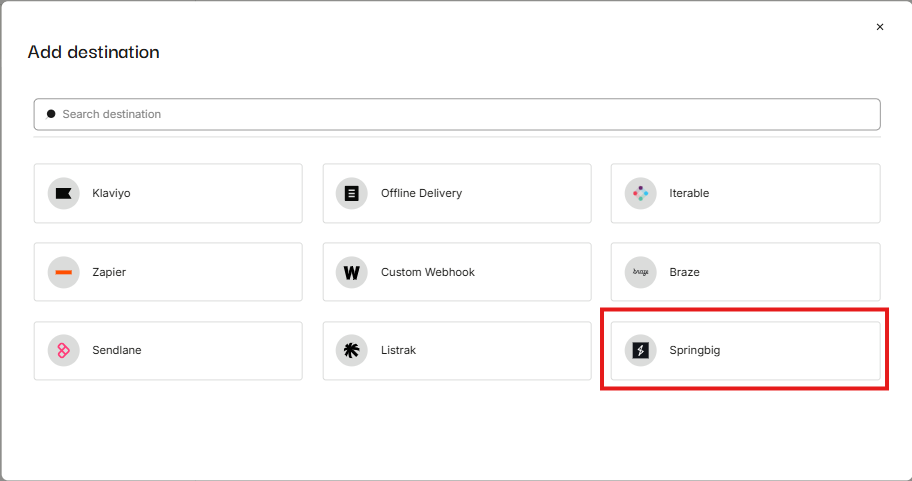
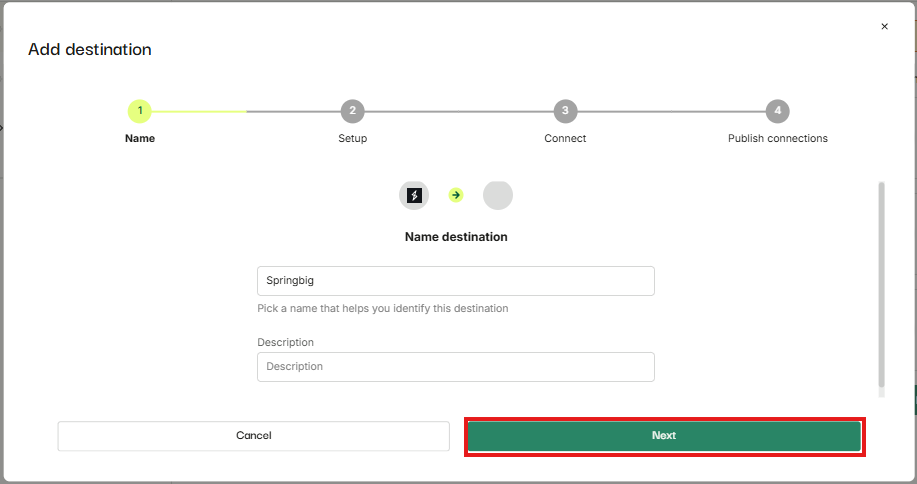
- Enter Name and description (optional) and click on the Next button.
- Authentication token will be provided by the SpringBig team which you can place under Authentication token field.
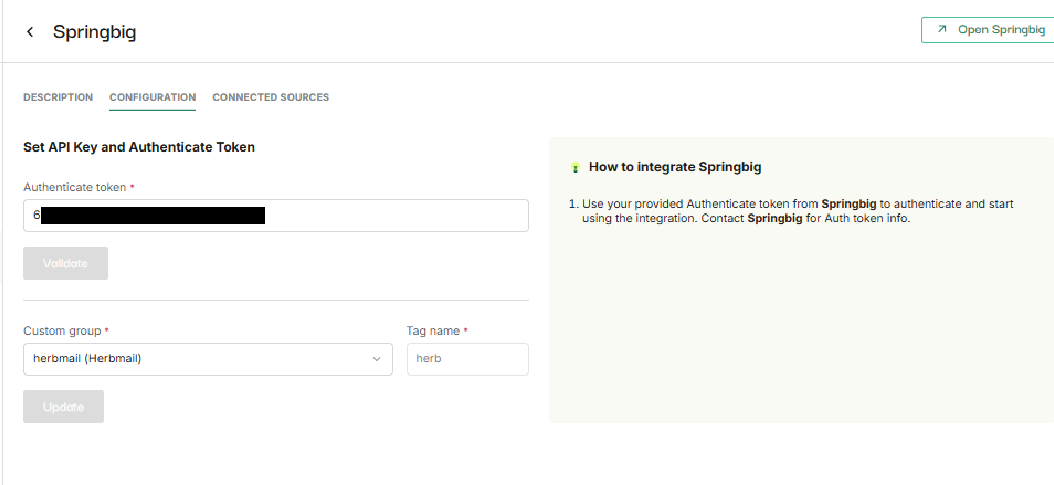
- Click on Custom group dropdown.
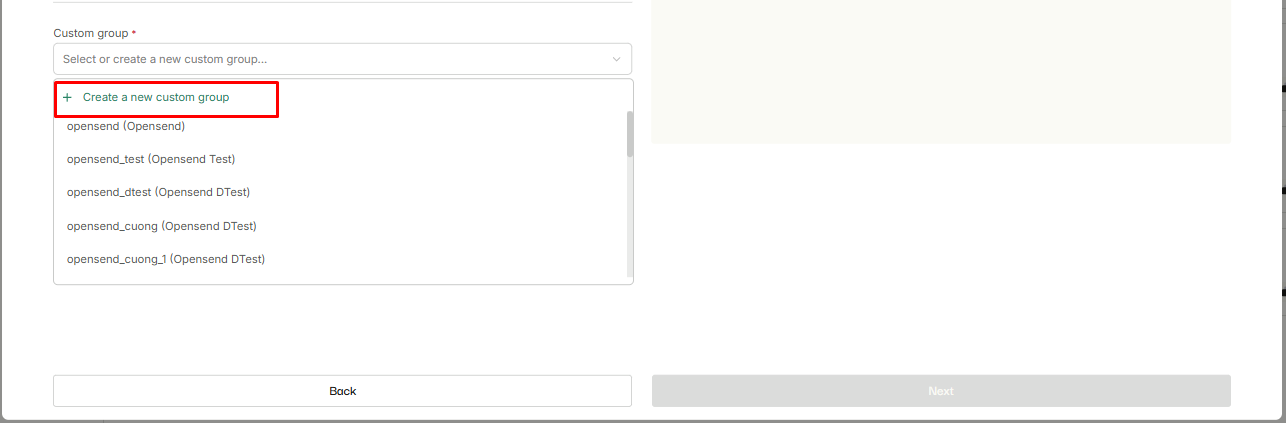
- Click on Create a new custom group.
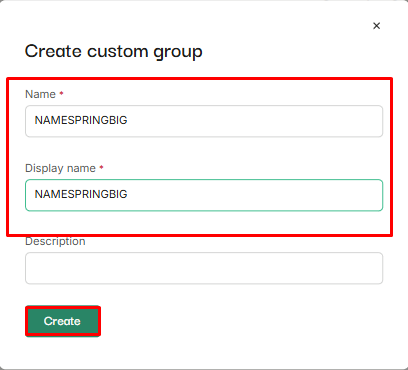
- Enter name and display name for a new custom group and click on Create button.
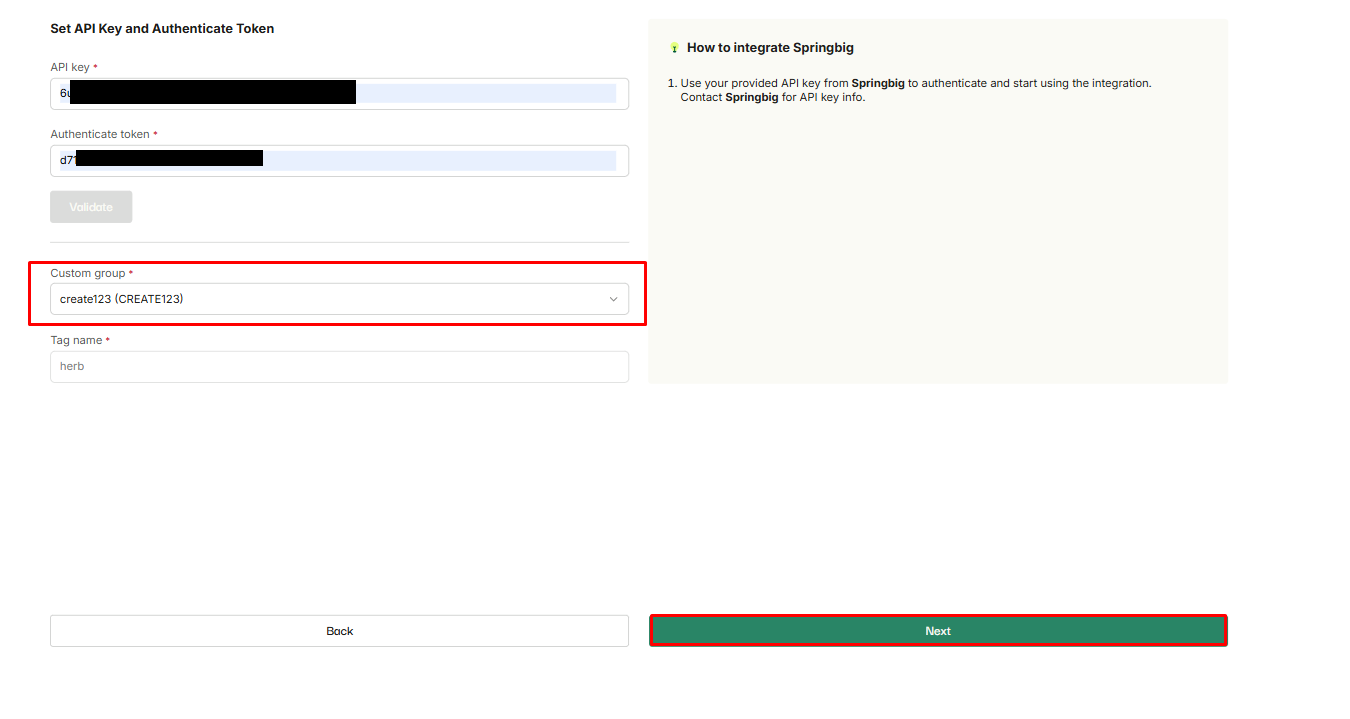
- Click on the Next button, created custom group will already be auto selected in the dropdown.
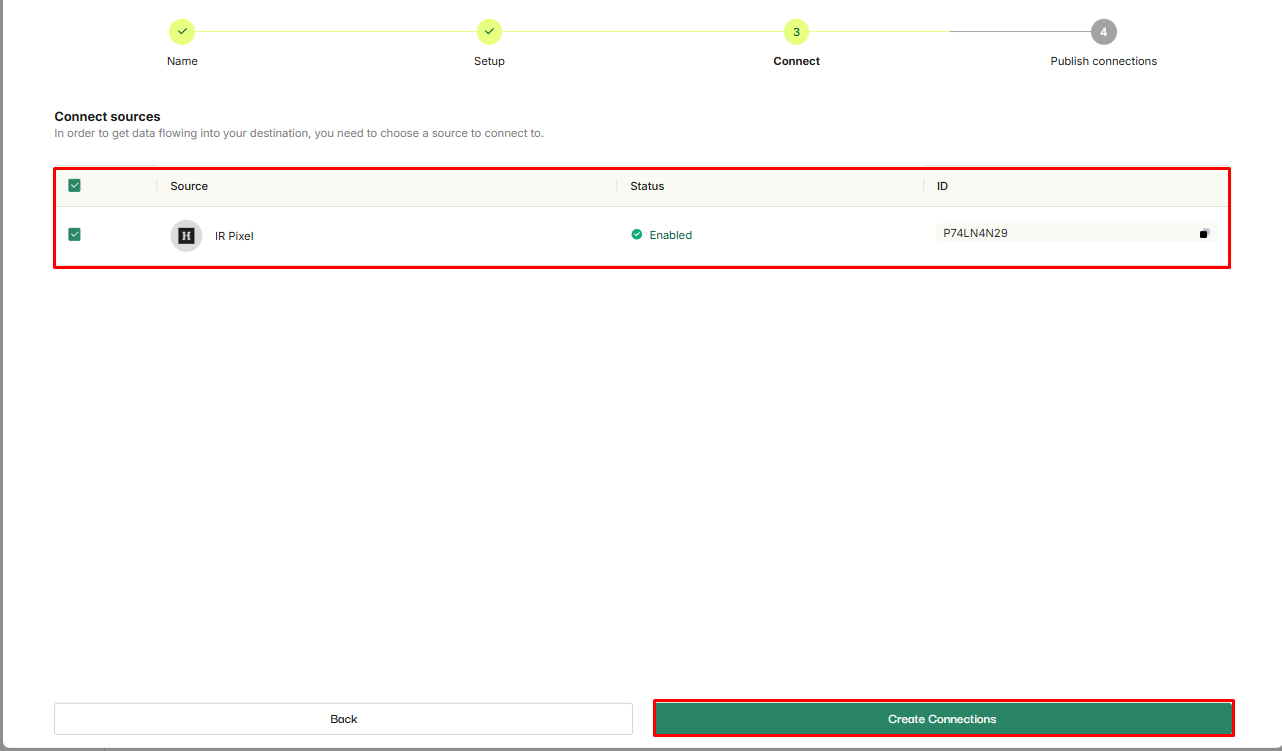
- Select IR pixel and click on Create connections button.
- Select Springbig - IR pixel connection and click on Publish button.
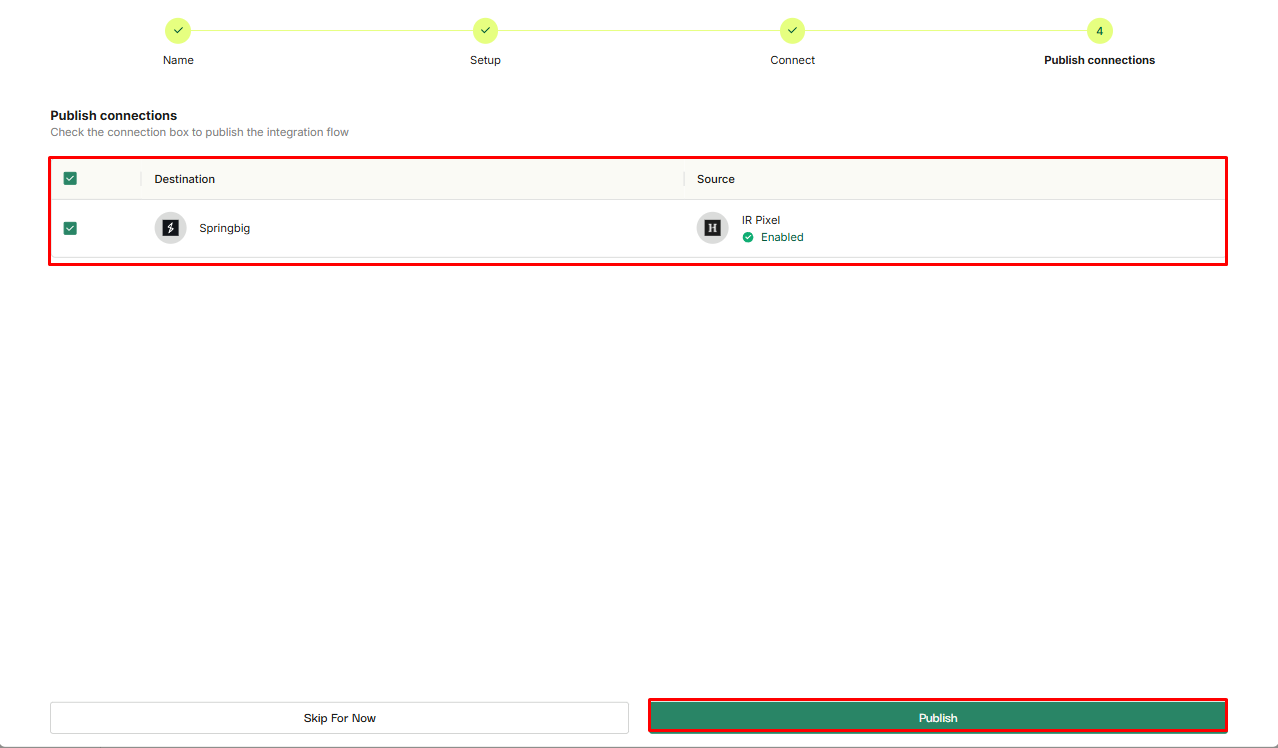
- SpringBig connection will be live and successfully connected to IR pixel source.